Want to try your hand at digital designing? Download a 30 day FREE trial of My Digital Studio and start designing TODAY!!
FREE TRIAL
Showing posts with label MDS. Show all posts
Showing posts with label MDS. Show all posts
Wednesday, February 01, 2012

Thursday, December 22, 2011
10 years.... TEN YEARS!!!
It's our anniversary. Our tenth. I'm pretty proud of that. I knew the minute I laid eyes on Steve that he was going to be mine. Of course, it just took him a little bit longer (like 18 months!) to figure that out, but he did. Bless his heart, he did, and then 3 1/2 months later he asked me to marry him. I said yes. And 3 1/2 months after that, we got married. 3 days before Christmas.
When I was in the store the day before our wedding and I happened to mention to the clerk that I was getting married the next day, she took my hand and said, "Oh congratulations... I hope you get SNOW!"
What an awful thing to say to someone about to get married! Granted, it was 3 days before Christmas, but the last thing I wanted, in my sleeveless wedding dress, was snow. Good night lady, what are you thinking?!
It didn't snow. It was plus 10 on our wedding day and we even had some outdoor photos. I had a sleeveless gown and not a care that it was the 2nd day of Winter.
We spent our first Christmas together in Cuba. Such a great vacation for our honeymoon. Over the years, I've been adding pages here and there, to a scrapbook for Steve. I haven't done anything for awhile, so I thought I would do up a couple pages in MDS (My Digital Studio) and give them to him on our anniversary.
Here's the double layout...
 Pages separated to show the detail better. MDS is such a great tool to use, and I find myself using it for far more than just digital scrapbooking.


When I was in the store the day before our wedding and I happened to mention to the clerk that I was getting married the next day, she took my hand and said, "Oh congratulations... I hope you get SNOW!"
What an awful thing to say to someone about to get married! Granted, it was 3 days before Christmas, but the last thing I wanted, in my sleeveless wedding dress, was snow. Good night lady, what are you thinking?!
It didn't snow. It was plus 10 on our wedding day and we even had some outdoor photos. I had a sleeveless gown and not a care that it was the 2nd day of Winter.
We spent our first Christmas together in Cuba. Such a great vacation for our honeymoon. Over the years, I've been adding pages here and there, to a scrapbook for Steve. I haven't done anything for awhile, so I thought I would do up a couple pages in MDS (My Digital Studio) and give them to him on our anniversary.
Happy Anniversary, Steve.
I love you with all my heart!
I love you with all my heart!
Here's the double layout...
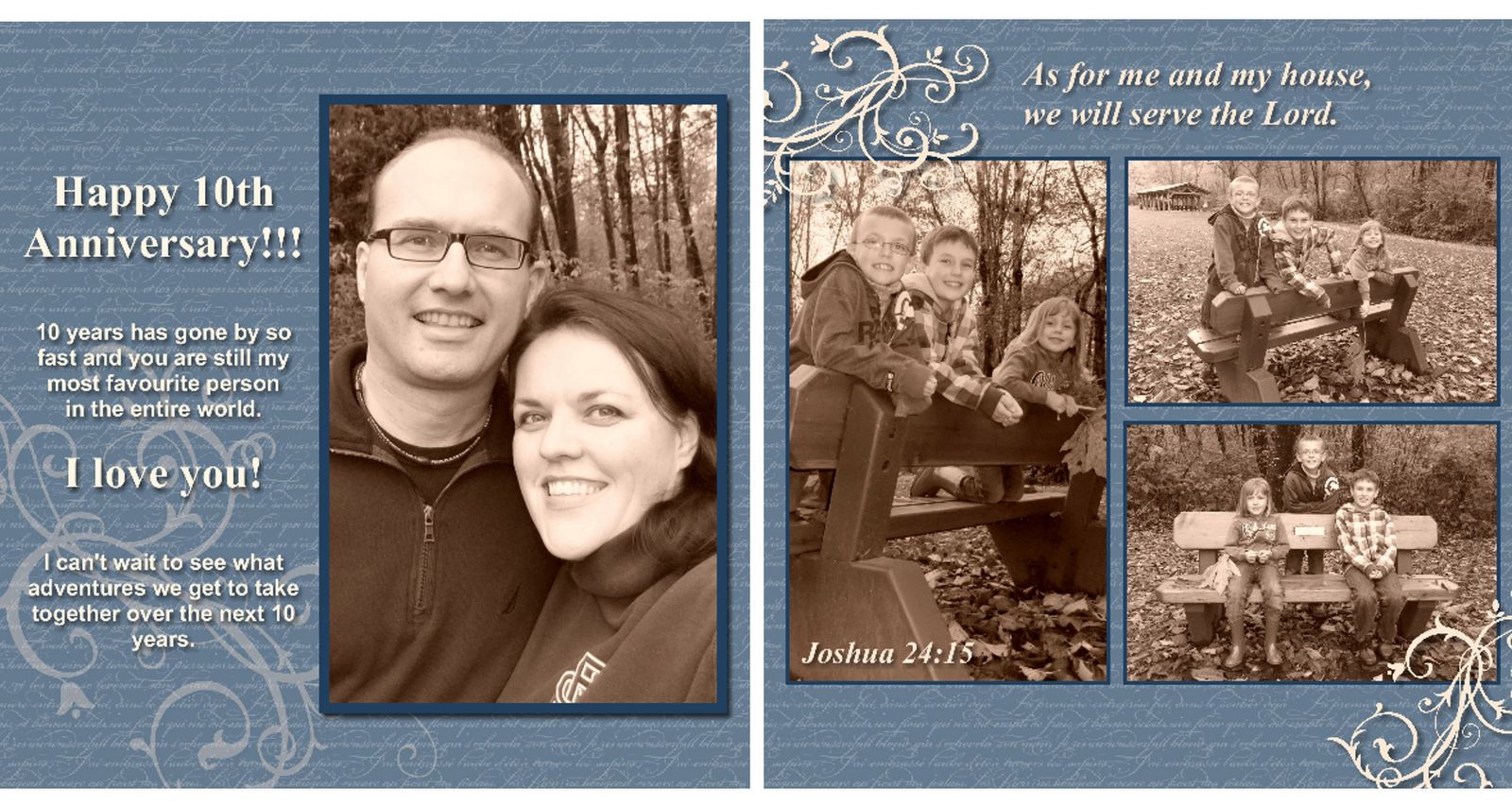 Pages separated to show the detail better. MDS is such a great tool to use, and I find myself using it for far more than just digital scrapbooking.

Wednesday, January 19, 2011
Digital Pages
My son Scott saw me working on some projects in "My Digital Studio," and he asked if he could try. Hey, why not! Even better than him taking paper, right? (although, I really don't mind my kids using my papercrafting supplies as long as they ask first, which they are very good about doing.)
Here are the 2 pages that he made. Even though I have already scrapbooked his 7th birthday party, I think I will go ahead and get these printed for him :) I love how he added a little dog, and the layout and colours he chose. Not bad for his first digi page, eh?!


Here are the 2 pages that he made. Even though I have already scrapbooked his 7th birthday party, I think I will go ahead and get these printed for him :) I love how he added a little dog, and the layout and colours he chose. Not bad for his first digi page, eh?!


Friday, January 07, 2011
MDS Calendar #5
Here are the last few pages of the calendars. I think I will have to make one for myself now!!
With the MDS program, you can change a photo to sepia right in your creating process, so you do not have to worry about editing that sort of thing ahead of time. Also, if you add a photo that you forgot to edit out the red eyes.... MDS will take care of that for you, too! Just click on the red eye correction option.


With the MDS program, you can change a photo to sepia right in your creating process, so you do not have to worry about editing that sort of thing ahead of time. Also, if you add a photo that you forgot to edit out the red eyes.... MDS will take care of that for you, too! Just click on the red eye correction option.


Thursday, January 06, 2011


Wednesday, January 05, 2011
MDS Pages #3
A few more pages to share using the MDS software. This is such a fun program to use, and the printing is exceptional. I opted to use Stampin' Up!'s professional printing studio for the final product, and the pages are so nice and thick and the colours are exactly what they are supposed to be when it comes to matching with SU! colours. I was also very impressed with how fast these calendars arrived at my door!

 These next 2 pages are from 2 different calendars. I just had so many pictures to choose from in 2010, that I couldn't decide on which ones to use, and I ended up making 2 completely different calendars!!! It is so much fun to do.
The first page is of my kids all doing different sports, and it is in my parents' calendar. The page below shows various hobbies and personalities of my kids, and that is in Steve's parents' calendar. I like them both, so I also ordered individual pages of these exact pages to add to my kids' scrapbooks. I love that that is an option with MDS, as well. You can do a full project, or you can order individual pages from within that project.

 Once again, I have used my own photo as the background for this page. The preset calendar template has gray letters and numbers, but since this is such a personalized program, you can change them to any colour you want. I chose white so they would stand out against the black of the photo.


 These next 2 pages are from 2 different calendars. I just had so many pictures to choose from in 2010, that I couldn't decide on which ones to use, and I ended up making 2 completely different calendars!!! It is so much fun to do.
The first page is of my kids all doing different sports, and it is in my parents' calendar. The page below shows various hobbies and personalities of my kids, and that is in Steve's parents' calendar. I like them both, so I also ordered individual pages of these exact pages to add to my kids' scrapbooks. I love that that is an option with MDS, as well. You can do a full project, or you can order individual pages from within that project.

 Once again, I have used my own photo as the background for this page. The preset calendar template has gray letters and numbers, but since this is such a personalized program, you can change them to any colour you want. I chose white so they would stand out against the black of the photo.
Tuesday, January 04, 2011
Calendar Pages #2
I love how the MDS program allows you to use pre-made page layouts, or create your very own from scratch. This 9 square layout is one of the ready-to-go options.

 Another fun thing is the "opacity" scale. On the pages below, I used my own photos for background papers, but on the part of the calendar that has the days laid out, I didn't want it to be such a bold image, so I faded out the photo with the opacity option.


 Another fun thing is the "opacity" scale. On the pages below, I used my own photos for background papers, but on the part of the calendar that has the days laid out, I didn't want it to be such a bold image, so I faded out the photo with the opacity option.

Monday, January 03, 2011
MDS Calendars
I made 2 calendars using MDS (My Digital Studio) for Christmas gifts this year. One for Steve's parents and one for my parents. I love how they both turned out. I thought I would share some of the pages with you on here over the next week.
Here's the first set (not really in any particular order!)... The calendars are 12X12 size.


 The next two pics are the calendar covers.


I'll share a few pages from the calendars every day this week. Thanks for stopping by!
Here's the first set (not really in any particular order!)... The calendars are 12X12 size.


 The next two pics are the calendar covers.

I'll share a few pages from the calendars every day this week. Thanks for stopping by!
Friday, December 03, 2010
Another digi page
I love how MDS comes with so many stamp images and options for creating great works of art. Then, if you want to add onto your program, the digital downloads are so affordable, and of course, there's no shipping on digi add-on items because they are downloads right to your computer. This background paper is a download that I purchased last week, and comes in a package called "Shades of Spring."
The stamped images and punch I used on this page are all included in the original MDS software.

The stamped images and punch I used on this page are all included in the original MDS software.

Thursday, December 02, 2010
Some Digi Scrappin'!
Haven't done much traditional stamping these last couple weeks, but I did a few digital pages. Here's a 12X12 sized one that I did this week using My Digital Studio.


Monday, November 22, 2010
My Digital Studio
There are two ways to get Stampin' Up!'s fabulous digital creating software right now...
#1 - Buy it at half price (for 9 days only!!!)
#2 - Buy the starter kit that includes MDS at half off the regular starter kit price!
If you are interested in either of these options, please let me know!
Here is a card I made this evening. Once the software is set up and you take a few minutes to familiarize yourself with all it's functions... it is really a cinch to use. This card literally took me only 5 minutes to make. I love this software, and it is so user friendly. I just purchased a bunch of the downloads as well, which are added on with just a couple clicks as soon as your order is submitted.
Take a look at my previous post to see the note on current specials. If you have any questions, please don't hesitate to contact me and ask away!! Happy stamping, and happy digital creating, too :)

#1 - Buy it at half price (for 9 days only!!!)
#2 - Buy the starter kit that includes MDS at half off the regular starter kit price!
If you are interested in either of these options, please let me know!
Here is a card I made this evening. Once the software is set up and you take a few minutes to familiarize yourself with all it's functions... it is really a cinch to use. This card literally took me only 5 minutes to make. I love this software, and it is so user friendly. I just purchased a bunch of the downloads as well, which are added on with just a couple clicks as soon as your order is submitted.
Take a look at my previous post to see the note on current specials. If you have any questions, please don't hesitate to contact me and ask away!! Happy stamping, and happy digital creating, too :)

Friday, November 19, 2010
Stampin' Great Deals...
Don't miss your chance to get all the goodies in the starter kit, or the MDS software + kit (My Digital Studio) for JUST $107.50. What an amazing price. (Regular price MDS is 106.95, so this means you are getting the software PLUS the starter kit for just 55 cents more than MDS alone!) WOW!
This great opportunity is only offered until the end of the month. Don't miss out... contact me today!
Here is a link to the promo flyer... STARTER KIT SPECIAL
If you decide to do this (if you've been the least interested in getting MDS, this is an offer that won't likely repeat!), just head to my website HERE and the sign-up password is freedom. Just type in "freedom" when they ask for the code and you'll be all set. I look forward to having you on my team!
This great opportunity is only offered until the end of the month. Don't miss out... contact me today!
Here is a link to the promo flyer... STARTER KIT SPECIAL
If you decide to do this (if you've been the least interested in getting MDS, this is an offer that won't likely repeat!), just head to my website HERE and the sign-up password is freedom. Just type in "freedom" when they ask for the code and you'll be all set. I look forward to having you on my team!
Monday, May 03, 2010
A Little Digital to share...
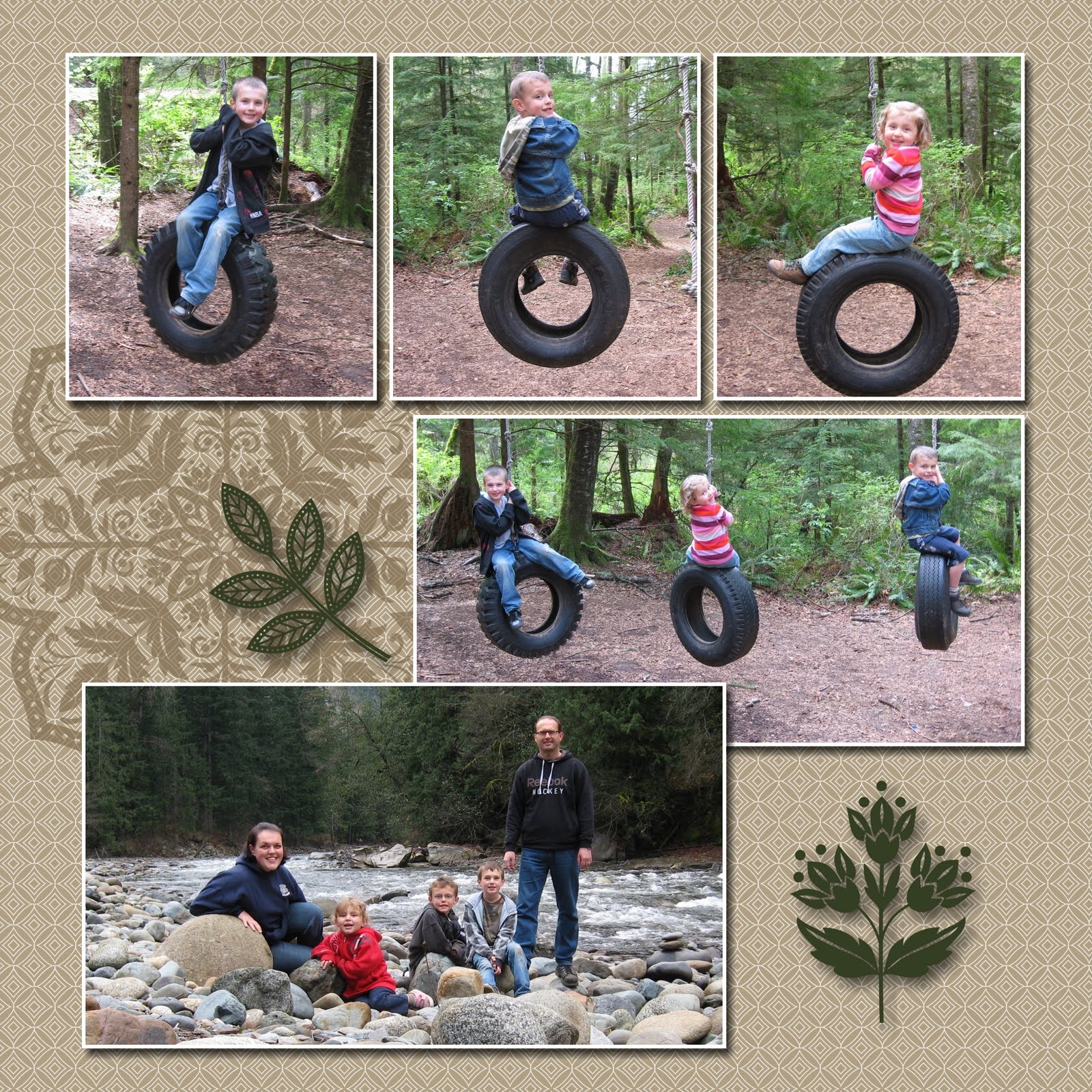
Just wanted to share a couple digital pages that I am working on right now. These are part of a book I'm making called "Our Outdoor Adventures 2010." I have so many photos from our outdoor treks, so I wanted to get them all in the same place. I know I wouldn't get to use them all in my regular Family Yearbook.


Thursday, October 22, 2009
My Book Arrived!!
Just wanted to share a few pics of the final product of the digital scrapbook I've been working on. I LOVE it! And it even turned out better than I was imagining.


Friday, October 16, 2009
Blog Header
I know this is a bit busy for a blog header, but I was just having some fun! I created this as an 11X 8 1/2 scrapbook page in MDS, and then cropped it slightly after I had it saved, exported it in a smaller file size, then stuck it in the blog header spot. I think there might be another way to do this, but it seemed to work just fine for me... I like how you can alter the file size so you can get the header to fit in the existing border.
Just another use for this cool new software!
 Edit: I changed the header a bit... see if you can spot what I changed from this original page!!
Just another use for this cool new software!
 Edit: I changed the header a bit... see if you can spot what I changed from this original page!!
Tuesday, October 13, 2009
MDS
Here are the results of a bit more playing with My Digital Studio... these are some pages from a photo book I am having printed right now! Can't wait to get it back to see the finished product!


Monday, September 21, 2009
Fun With MDS
MDS is my latest toy from Stampin' Up! and it stands for My Digital Studio. This software is available for purchase starting October 1st, but Demonstrators got to start playing with it a month early... here is a greeting card I made with it last week. This one is still pretty basic, but I created it in about 5 minutes, so it is very user friendly software, and it is a lot of fun!!!


Subscribe to:
Posts (Atom)


